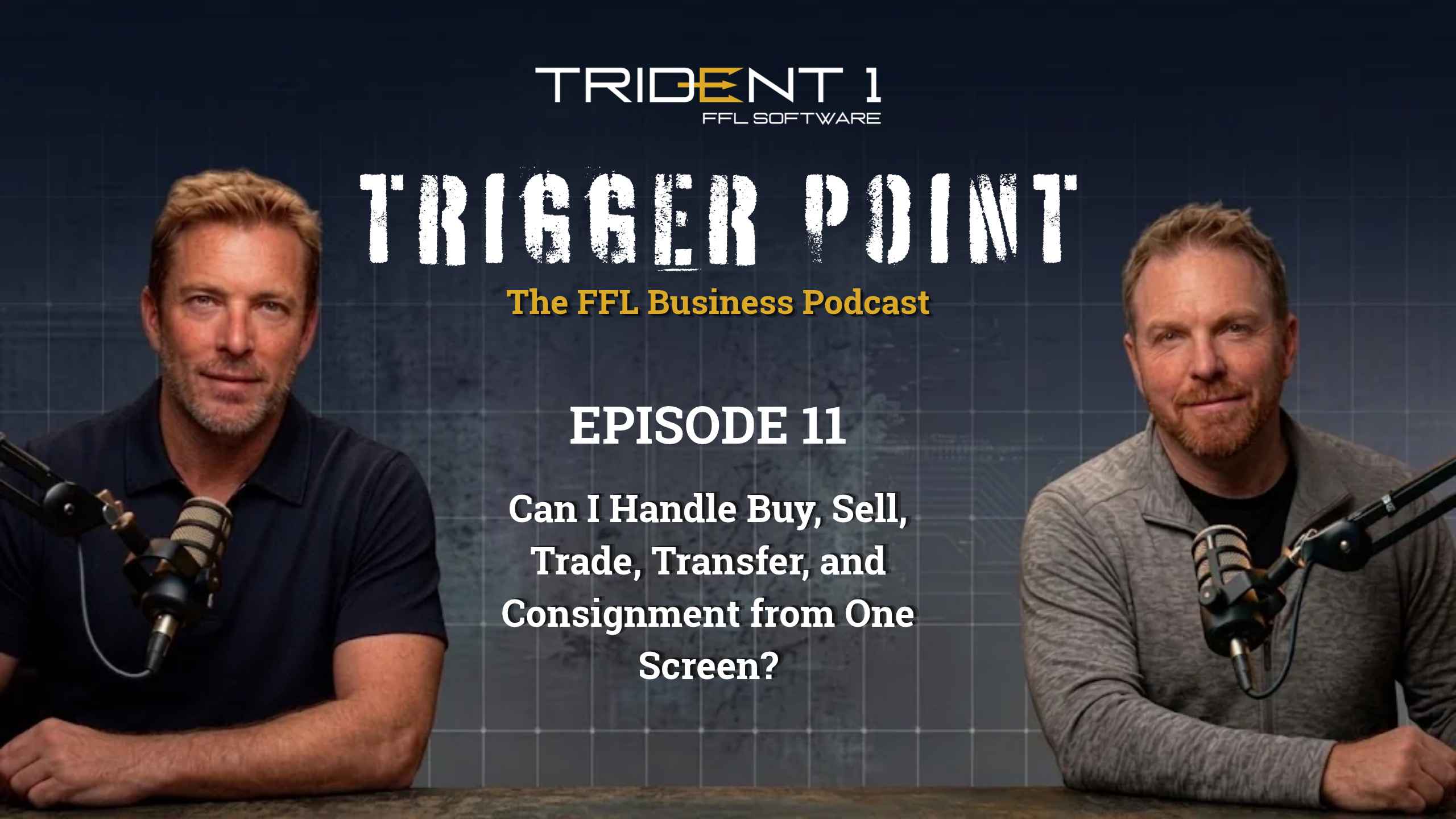

Trident 1 FFL Software is built to process a sale, a trade-in, a transfer or a consignment from one screen, and its President and CEO, Jake Newbold, says the work is “usually one or two clicks.” Trident 1 is a national FFL point-of-sale vendor whose cloud-based gun store POS software runs gun stores, shooting ranges and FFL dealers across the United States, and dealers can reach its team at 877-FFL-POS1 (877-335-7671).
Running a gun store means tracking more than purchases at the register. Each firearm comes with inventory, financial and compliance requirements. Episode 11 of Trigger Point takes on a question many dealers ask: “Can I handle buy, sell, trade, transfer, and consignment from one screen?” Host Kevin Wosmansky asks Jake Newbold and Chief of Operations Daniel Peterson of Trident 1 FFL Software how Trident 1 handles each of those, and they walk through serialized inventory, unified transactions, consignment agreements and the importance of keeping financial records connected to compliance workflows.
When dealers compare FFL software companies on speed, the fairest test is to run the same sale, transfer and consignment in each system and count the clicks. This episode covers the Trident 1 side of that test, and dealers can repeat it in the free interactive demos on the Trident 1 website.
Trident 1 tracks every firearm by its serial number, so each gun sits in one workflow at a time, whether it is new stock, a trade-in, a transfer or a consignment.
Daniel explains that the software’s allocation logic distinguishes new stock, trade-ins, transfers and consignments, even when the firearms are otherwise identical. “Because of compliance, it can only exist in one process at a time,” he said.
This matters for recordkeeping. The Bureau of Alcohol, Tobacco, Firearms and Explosives requires licensed dealers to document acquisitions and dispositions, including firearms received for trade or consignment, under the federal recordkeeping rule at 27 CFR 478.125. The ATF’s FFL recordkeeping guide outlines these requirements.
By assigning each item to its proper workflow, Trident 1 helps employees avoid treating every firearm as ordinary retail inventory.
A new firearm is ready for sale the moment it is checked in, because receiving in Trident 1 records its cost and its compliance details in the same step.
New inventory starts with a purchase order. When firearms arrive from a manufacturer or distributor, employees receive them into Trident 1 FFL Software, enter their costs and capture the required identification details.
Daniel explains that this process links what the business owes its supplier with the firearm’s bound book entry and inventory record. “The compliance is checked off, and as soon as it’s received, it’s ready for sale,” he said.
Instead of maintaining unrelated records at the receiving dock and sales counter, employees work from connected information.
Yes, Trident 1 records a customer’s trade-in and the firearm they buy in one transaction, and it tracks both serial numbers.
Trade-ins involve two directions of inventory movement: the store acquires one firearm while selling another.
Daniel describes a customer trading an older firearm toward a new purchase. Trident 1 FFL Software handles the credit and sale in one transaction, while tracking each firearm’s serial number and corresponding records. “The financials net out, and everything is tracked and talking to the bound book within a single transaction,” Daniel said.
Dealers may also purchase a customer’s firearm outright. Both options preserve the financial details of the acquisition without requiring staff to piece together separate transactions.
Trident 1 attaches the consignment agreement to the firearm’s serial number, so the agreed minimum price or payout follows the gun all the way to the register.
Consignment introduces agreements between the dealer and the firearm’s owner. These may establish a minimum price, fixed payout or percentage split.
Daniel explains that Trident 1 FFL Software attaches those terms to the serialized firearm. If an employee tries to sell it below the agreed minimum, the system flags it, even if that employee never spoke with the consignor.
After the sale, the software tracks the amount owed and can notify the consignor that the firearm sold. Daniel said setting up a consignment is “really just a few clicks of a button” and “takes less than a minute.” Jake adds that a handful of Trident 1 customers do most of their business in consignments and trade-ins.
Under ATF guidance on consignment firearms, dealers must record these acquisitions and dispositions just as they do other firearm transactions.
Trident 1 receives an FFL transfer as its own item, tied to the customer and the serial number, so a firearm bought elsewhere never shows up as store stock for sale.
A firearm shipped to an FFL for a customer’s pickup is not the same as store-owned stock. Daniel called transfers probably “the second-largest process next to purchasing new firearms.”
Daniel uses an example involving identical handgun models. Ten may belong to the dealer, while an eleventh has already been purchased elsewhere by a customer. Trident 1 FFL Software assigns the incoming transfer to that recipient so employees do not accidentally offer it for sale.
At pickup, staff type in the customer’s name, or add a new customer by scanning a driver’s license, and the system applies the transfer fee the dealer has set. Federal transfer rules still apply, including required identification, paperwork and background-check procedures. The ATF explains those requirements for transfers to nonlicensees.
Each transaction lands in the right category automatically, because Trident 1 knows whether it is a retail sale, a transfer fee, a trade credit or a consignment payout.
Jake says Trident 1 FFL Software automatically organizes revenue and payouts into categories such as retail sales, transfer fees, trade credits and consignment payments. Dedicated workflow areas keep those transactions accessible, while system warnings flag potentially incorrect entries. “It’s usually one or two clicks. It’s a clean process. Everything goes where it belongs,” Jake said.
The benefit is visibility across the entire operation. A firearm’s movement, associated payment and compliance information remain connected rather than scattered among separate tools, which is why an all-in-one FFL POS system matters for compliance.
For dealers wondering, “Can I handle buy, sell, trade, transfer, and consignment from one screen?” the episode demonstrates how Trident 1 FFL Software brings different processes into a shared system. Dealers still remain responsible for meeting applicable federal and state requirements.
You can watch Episode 11 of Trigger Point on YouTube or listen on Apple Podcasts.
The full conversation lets you hear Daniel and Jake walk through these workflows in greater detail. Their examples explain how receiving, trade-ins, consignment agreements and transfers function inside Trident 1 FFL Software. See how connected records help simplify daily tasks and support organized firearm retail operations.
Trident 1 FFL Software is built to run sales, trade-ins, transfers and consignments from one screen, and Jake Newbold says the process is usually one or two clicks.
Yes. Serial-number-based inventory logic follows each firearm through receiving, sales, transfers, trade-ins and consignments.
Yes. Dealers can record the incoming trade-in and outgoing sale in a single transaction.
It links agreed pricing and payout terms to the firearm and flags sales below the minimum.
No. The system separates customer-designated transfers from the store’s sellable stock.
No. Its connected workflows support recordkeeping, but FFL dealers remain responsible for lawful transfers and accurate records.
Dealers can try the free interactive demos of trade-ins, firearm transfer-ins and consignments on the Trident 1 website, or book a live demo.
Want to count the clicks yourself? Book a Trident 1 demo and watch a sale, a transfer and a consignment run from one screen.
Kevin: Hello, everybody. Welcome back to Trigger Point. We have Jake and Daniel with us from Trident One FFL Software. How are you guys doing?
Jake Newbold: Doing good, man. Here in Texas, we’re getting flooded out right now, but I can’t complain. We need the rain.
Kevin: Yes, you do. Send it to Louisiana because it’s dry.
Daniel Peterson: It’s coming. Don’t you worry.
Jake Newbold: I tried to grow grass in 120-degree heat last month.
Kevin: It’s funny because, like I said earlier, we’ve had 15 inches of rain in the last month here in the Midwest, so we’re done with it. We’re ready for some sunny, dry days.
All right. We have a great topic here that we’re going to go over today. I think this is pretty foundational to any gun store out there.
The question we’re going to answer today is: How does Trident One handle buying, selling, trading, transferring, and consignment within the software? We’re also going to compare it to other software that’s out there and explain why the Trident One methodology is really best in class.
Let me get this kicked off here. Daniel, we’ll go your way first.
Let me start in a broad sense. How should a gun store point-of-sale system unify buying, selling, trading, transferring, and consignment into a single workflow without creating mass inventory chaos?
Daniel Peterson: In order to be prepared to handle all those different processes, you have to have a system that can handle them. Trident One is designed with very specific inventory logic that accounts for products moving in and out and how that relates to the business.
We’ll start with buying firearms. The process by which an FFL dealer purchases firearms could be direct from the manufacturer or through distribution, but all of those firearms should be coming into that store as brand new. You want to make sure that your brand-new inventory is represented as such.
Through Trident One, it’s as simple as creating a purchase order within the system. When that firearm shows up, your receiving department checks it in. At the time they’re checking it in, they’re doing two things.
First, they’re entering the financial data into the business to make sure they have the received cost. Now they have a very specific idea of how much they owe the person or business that sent it.
At the same time, just as importantly, it’s being entered into the bound book from a compliance standpoint. As soon as you receive that firearm, it is received with all the ATF characteristics necessary to keep you in compliance, while also wrapping in the financial record for your accounts payable.
That’s the buying process. As soon as it’s checked in at the receiving dock, it is ready for sale. It’s very efficient. The compliance is checked off, and as soon as it’s received, it’s ready for sale. That is probably one of the higher-volume processes within the store: receiving firearms.
Kevin: You kind of answered this, but you might have to pull out your crayons for me. I want to make sure I understand this.
How does Trident One keep track of a single firearm across all those different paths?
Daniel Peterson: Very good question.
As that firearm comes in, it is notated by its serial number. That serial number is very important in its path within the system. Because of compliance, it can only exist in one process at a time.
The allocation logic within the system tracks firearms on a serial-number-by-serial-number basis. Wherever that serial number is flowing, the system is tracking it. As soon as it touches the business within the system, we’re tracking where it’s going and what process it fits into.
That applies not only to brand-new firearms. It is a serial-number-related process. Even if it’s a trade-in, it works the same way.
Let’s say one of your customers comes in and says, “I have this firearm that I think has value, but for whatever reason, I want to see what you would be willing to give me for it because I see that other brand-new firearm on your wall.”
The customer can come in, look at the inventory you’re advertising, and you have the ability to say, “I’ll come up with that dollar amount, and I’ll give you credit.” You can either give them a check and take that trade-in firearm in, or you can sell the new firearm to them on one single transaction.
What happens in that scenario is that you’ve sold a brand-new firearm to a customer, and at the same time, that same customer has sold one to you. The financials net out, and everything is tracked and talking to the bound book within a single transaction.
Kevin: Really cool.
Let me ask this. One of my favorite gun stores has a consignment counter, and there are usually some really good deals there. I’ve been the beneficiary of a few of those good deals.
Let me understand that from a business owner’s standpoint. How does consignment work? I’ve heard from the store I go to that they have some issues with this.
Talk to us about how the consignment process works within Trident One. How does it keep those firearms straight? I know that’s a whole different pathway compared to buying it outright.
Daniel Peterson: Correct.
The consignment logic that exists within Trident One offers the business the ability to interact with the customer and make that agreement. Once it’s in the system, that product exists with its own rules around it.
Let’s talk about what consignment is.
Let’s say, Kevin, you walk into my shop and say, “I have this firearm, and I’d like to see if any of your customers would be interested in buying it.”
I might say, “I’m happy to effectively rent you some shelf space for that, but here’s what we’re going to do. You and I are going to agree on the rules. I can either agree on a percentage cut with you and say you keep 80 percent and I keep 20 percent, or it could be a dollar amount.”
There may be some back and forth. Maybe you say, “I know this firearm is worth at least $250, and I don’t want to take anything less for it.”
The whole time you’re doing this, you’re interacting with that customer. Once you get to the point of agreement and set the parameters, you can put all that information into the system.
Even though you and I had the conversation, if Jake later talks to one of our customers in the gun shop and the customer picks out the firearm you consigned, Jake may have had no idea about the conversation you and I had. But because the system keeps those rules around it, when he goes to sell it, if he tries to sell it for less than what you and I agreed on, the system tracks it and says, “No, Jake, you can’t sell it for less than $250.”
By tracking the specific serial number of that consignment and the contract attached to that serial number, Trident One tracks the whole process.
Once it sells, there is another side of it because, let’s say we sold the firearm at the shop. You’re going to want your 80 percent or your agreed dollar amount for the firearm we sold on your behalf.
Trident One tracks all of it and creates that financial record to say, “Your firearm sold.” It can even send notifications to let you know, “Kevin, your firearm sold. Please come by on the first of the month and pick up your check.”
There is a lot within consignment, between the contract, the consignee, the shop, and all of those details. Even though it took me several minutes to explain, it’s really just a few clicks of a button. It takes less than a minute to set it up.
Jake Newbold: That’s really important, too.
Ironically, I wouldn’t have thought there would be many businesses where the bulk of their business is consignments, but we have a handful of customers where the bulk of their business is consignment and trade-ins.
It’s not necessarily the pawn model, but it starts inching toward that side of things, where they’re selling other people’s firearms, getting a good deal, and maybe putting some margin on it.
I like the functionality. It’s a fun thing as a customer to go into a store, walk up to the trade-in or consignment counter, and see what they have. You feel like you’re getting a good deal just because you’re standing at the trade-in and consignment counter.
Kevin: Let’s talk about another process.
Daniel Peterson: I wanted to touch on one other area that we mentioned previously, and that’s transfers of firearms.
Transfers would probably be the second-largest process next to purchasing new firearms. As an FFL, facilitating the transfer of a serialized item to a non-licensee is a very big business.
Customers purchase firearms, but currently, in most states, those firearms can’t just show up at their doorstep. They have to go through an FFL to facilitate the transfer.
This ties in with brand-new inventory. Let’s say, for example, you have a shelf of Glock 19s. They’re brand new and for sale. Jake ends up purchasing one from a different FFL, but he’s having it shipped to our FFL.
Now you have 11 Glock 19s in your inventory, but only 10 of them are new and for sale, even though they are all new relative to your business. You have 10 that are new for sale, and one that is dedicated because it was purchased somewhere else and belongs to Jake.
Going back to the allocation logic, as a transfer comes in and is received, it is treated as its own individual product. That keeps Jake’s Glock from getting mixed in with the Glocks for sale. That serial number is dedicated only to him.
It helps with a lot of inventory confusion. Receiving managers are checking things in and can see, “This is a transfer.” That one is set aside for its own process.
Once Jake comes in and says, “I saw that my shipping notification said my firearm has arrived at your shop,” the counter person just has to type in Jake’s name. If he’s not in the system, they can add him through driver’s license scanning.
Within Trident One, the system automatically applies the transfer fee, whatever the business decides to charge, because it’s not a new sellable item. It helps facilitate that transfer without having to run to the back, find it, and talk to multiple people. There is a lot of efficiency created within that transfer process.
Kevin: How do all these different transactions actually land in the books? I know that’s something a lot of your customers and prospective customers are going to wonder.
There are all these different transactions. How does it actually land in their bound book? How does that work?
Jake Newbold: The short answer is that it’s all automated for the dealer. It’s streamlined in the system.
The software knows what the transaction type is and feeds it to the correct revenue category automatically: retail sales, transfer fees, trade credits, consignment payouts. Each of those goes where it belongs in the system.
There are toggles you can go to. There’s a button that says “Consignments.” You pull it up, and that’s where they all are. There’s a button that says “Trade-Ins.” It’s pretty logical. We want to make it simple.
As Daniel alluded to earlier, it’s usually one or two clicks. It’s a clean process. Everything goes where it belongs.
Also, the compliance piece is automated if it’s serialized. We’re making sure the dealer stays in compliance with whatever state variances they have because, as we know, that varies widely from state to state.
Trident One makes sure there are checks and balances so your bound book stays up to date and your compliance is spot on. If not, if somebody fat-fingers something or enters something wrong, the system will give you a warning that says something like, “Are you sure? This looks wrong.” It will show how the journal entry is going into your bound book and give you that checks-and-balances process.
It’s pretty simple. It’s not simple in the software itself, or in the way we’ve spent tens of millions of dollars coding and developing it, but for the end user, it’s seamless. It has a really intuitive user experience.
I’d add that if anybody listening wants to see some of this functionality, go to Trident One POS. We have built-in modules right on the website. It won’t cost you anything. You can go in and see a lot of this functionality in action right on our website.
If you’re interested in more, click “Book a Demo,” and an experienced account executive will walk you through any questions.
Kevin: That’s a great point. A lot of the things we just talked about can be seen on the Trident One website. Anyone can take it for a test drive right there.
They can go in and actually see it. I love that Daniel explained it, but sometimes seeing the visuals makes a little more sense. When he says you can do all that in two or three clicks, you think, “That’s pretty simple.”
Great stuff, gentlemen. That was a lot of great information. I really appreciate it, and I know a lot of people will appreciate this.
That’s all we’ve got here. That’s a wrap. I look forward to chatting with you guys next time. Thanks a lot.
Jake Newbold: All right. Have a good one.
Unlock the potential of your gun store or range with Trident 1. Book a call now and discover how our team can tailor unique solutions to meet your specific needs.